Skip to main content
How To Change Time Zone In Win 10/11
Windows 10 & 11:
Open Settings: Press Windows + I.
Go to Time & Language:
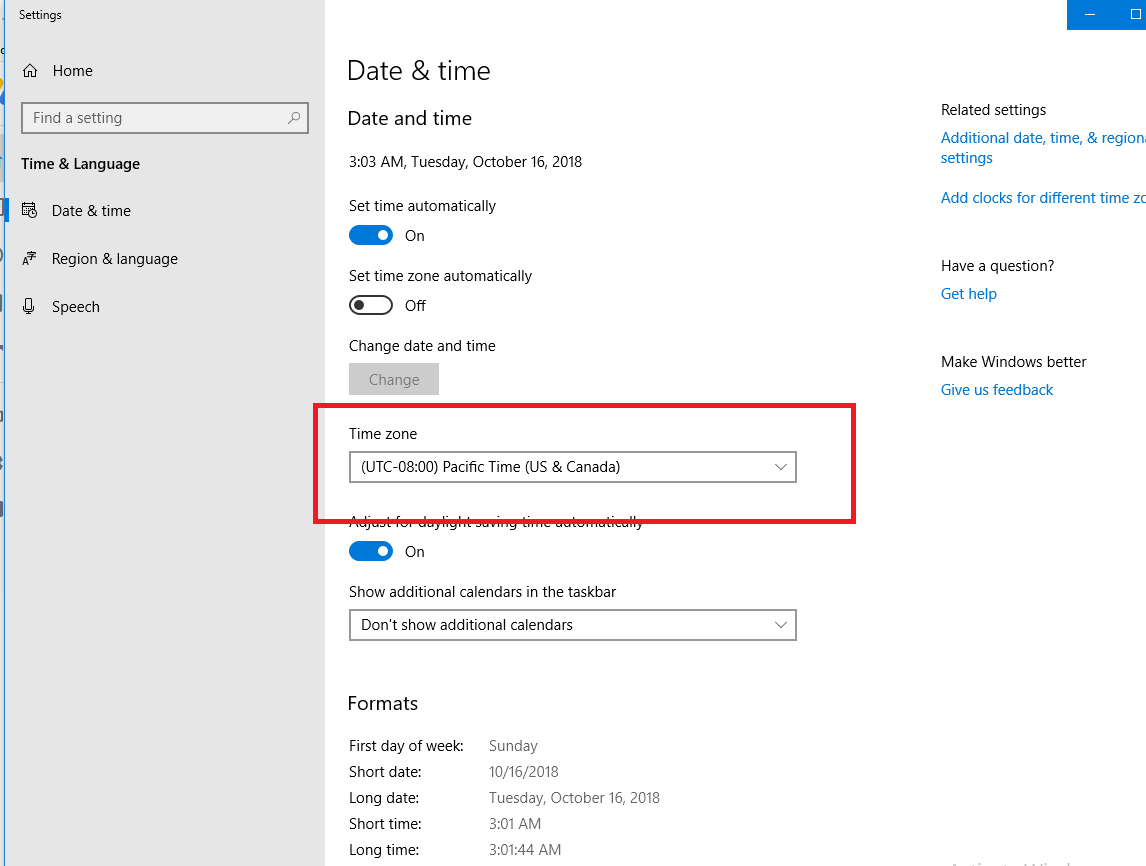
For Win 10: Select Time & Language.
For Win 11: Go to Time & Language > Date & Time.
Change Time Zone: Under Time zone, select your desired time zone from the dropdown.
Enable Auto Time Zone (Optional): Turn on Set time zone automatically.
Close Settings.
Windows 10
Windows 11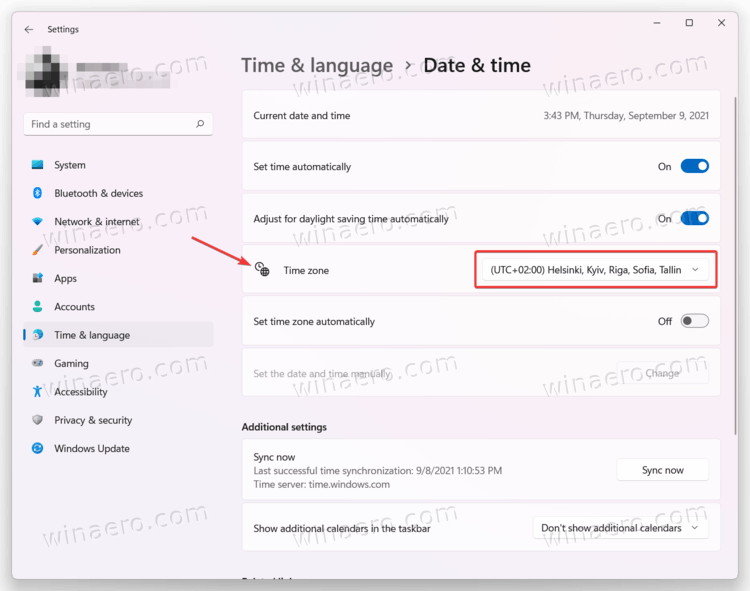

Comments
0 comments
Please sign in to leave a comment.